FindCutPath Node
Generates a path between two domain boundaries by selecting start and end points using weighted sampling and connecting them with a midpoint-based subdivision.
Category
Geometry/Path
Inputs
| Name | Type | Description |
|---|---|---|
| input | VirtualArray | Input scalar field used to guide boundary point selection (e.g., elevation map). |
Outputs
| Name | Type | Description |
|---|---|---|
| path | Path | Generated path connecting the selected boundary points. |
Parameters
| Name | Type | Description |
|---|---|---|
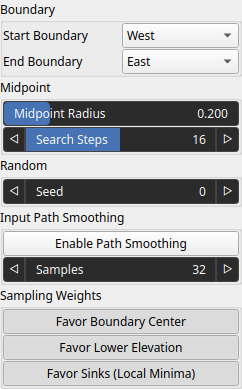
| End Boundary | Enumeration | Boundary where the path ends. |
| Favor Boundary Center | Bool | Biases selection toward the center of the boundary when randomly picking the start and end points. |
| Favor Lower Elevation | Bool | Biases selection toward lower values in the input field when randomly picking the start and end points. |
| Favor Sinks (Local Minima) | Bool | Biases selection toward local minima (cells lower than or equal to their neighbors) when randomly picking the start and end points. |
| Midpoint Radius | Float | No description |
| Seed | Random seed number | Random seed number. The random seed is an offset to the randomized process. A different seed will produce a new result. |
| Enable Path Smoothing | Bool | No description |
| Samples | Integer | No description |
| Start Boundary | Enumeration | Boundary where the path starts (e.g., West, East, North, South). |
| Search Steps | Integer | No description |
Example
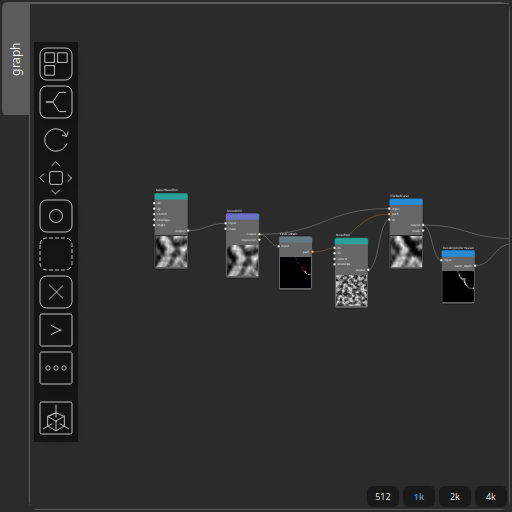
Corresponding Hesiod file: FindCutPath.hsd. Use [Ctrl+I] in the node editor to import a hsd file within your current project.
Note
Example files are kept up-to-date with the latest version of Hesiod. If you find an error, please open an issue.