FlatbedCarve Node
Carves and blends a flatbed shape along a path into an existing heightmap using a smooth radial falloff. The operator is typically used to create river beds, channels, or flattened corridors that follow a user-defined path.
Category
Hydrology
Inputs
| Name | Type | Description |
|---|---|---|
| dr | VirtualArray | Optional radial noise map used to perturb the bed shape. |
| input | VirtualArray | Input heightmap to be modified by the flatbed carving operation. |
| path | Path | Path defining the centerline along which the flatbed is carved. |
Outputs
| Name | Type | Description |
|---|---|---|
| mask | VirtualArray | Output falloff mask representing the influence region of the flatbed carve. |
| output | VirtualArray | Resulting heightmap after carving and blending the flatbed along the path. |
Parameters
| Name | Type | Description |
|---|---|---|
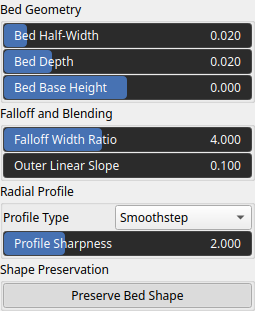
| Bed Half-Width | Float | Radius of the flatbed region measured from the path centerline, defining the half-width of the carved bed. |
| Bed Depth | Float | Vertical depth of the bed carved below the surrounding terrain. |
| Falloff Width Ratio | Float | Relative width of the smooth transition region outside the bed, expressed as a ratio of the bed half-width. |
| Outer Linear Slope | Float | Linear slope applied beyond the falloff region to smoothly reconnect the bed to the surrounding terrain. |
| Preserve Bed Shape | Bool | Preserves the original bed profile when radial noise is applied, preventing distortion of the flatbed shape. |
| Profile Type | Enumeration | Radial profile function used to define the cross-sectional shape of the bed (e.g. smoothstep, linear). |
| Profile Sharpness | Float | Shape parameter controlling the curvature or sharpness of the selected radial profile. |
| Bed Base Height | Float | Minimum height value assigned to the bed bottom, defining the base elevation of the carved region. |
Example
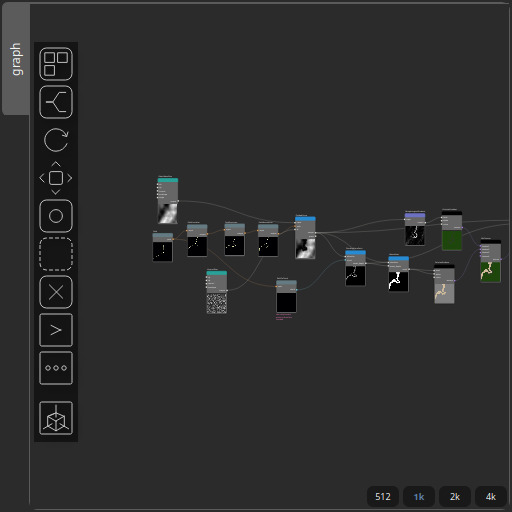
Corresponding Hesiod file: FlatbedCarve.hsd. Use [Ctrl+I] in the node editor to import a hsd file within your current project.
Note
Example files are kept up-to-date with the latest version of Hesiod. If you find an error, please open an issue.