ValleyFill Node
Fill valleys using thermal scree deposition and height-based blending.
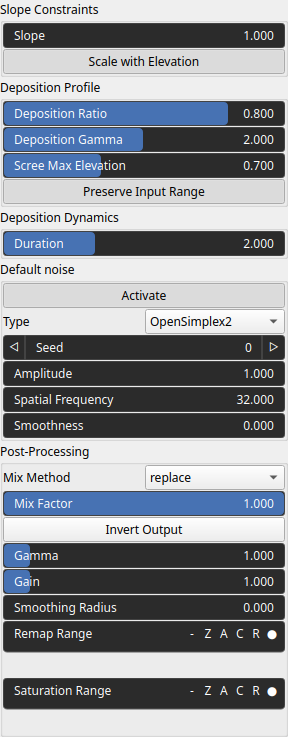
Category
Erosion/Deposition
Inputs
| Name | Type | Description |
|---|---|---|
| input | VirtualArray | Input heightmap. |
| mask | VirtualArray | Mask defining the filtering intensity (expected in [0, 1]). |
| noise | VirtualArray | No description |
Outputs
| Name | Type | Description |
|---|---|---|
| deposition | VirtualArray | No description |
| output | VirtualArray | Eroded heightmap. |
Parameters
| Name | Type | Description |
|---|---|---|
| Activate | Bool | Enables or disables the built-in drainage noise. If an external noise input is provided, it overrides this default noise. |
| Spatial Frequency | Float | Base spatial frequencies in the X and Y directions. |
| Amplitude | Float | Noise amplitude. |
| Type | Enumeration | Noise type. |
| Seed | Random seed number | Random seed number. The random seed is an offset to the randomized process. A different seed will produce a new result. |
| Smoothness | Float | Controls the resulting smoothness of the fractal layering process. |
| Duration | Float | Controls the number of erosion iterations or the simulated time span during which thermal erosion is applied. Higher values increase slope relaxation and material transport. |
| Scree Max Elevation | Float | No description |
| Deposition Gamma | Float | Gamma applied to the height-based mixing mask. |
| Gain | Float | Mid-centered gain transformation applied to the elevation values. This is a non-linear recurve operator centered around the mid elevation (typically 0.5). Increasing the gain pushes values toward the minimum and maximum elevations, creating flatter low/high regions with a steeper transition around the midpoint. |
| Gamma | Float | Standard gamma correction applied to the elevation values. This is a monotonic power-law remapping that shifts emphasis toward low or high elevations, making the overall shape sharper or bulkier without changing its ordering. |
| Invert Output | Bool | Inverts the output values after processing, flipping low and high values across the midrange. |
| Mix Factor | Float | Mixing factor for blending input and output values. A value of 0 uses only the input, 1 uses only the output, and intermediate values perform a linear interpolation. |
| Mix Method | Enumeration | Method used to combine input and output values. Options include linear interpolation (default), min, max, smooth min, smooth max, add, and subtract. |
| Remap Range | Value range | Linearly remaps the output values to a specified target range (default is [0, 1]). |
| Saturation Range | Value range | Modifies the amplitude of elevations by first clamping them to a given interval and then scaling them so that the restricted interval matches the original input range. This enhances contrast in elevation variations while maintaining overall structure. |
| Smoothing Radius | Float | Defines the radius for post-processing smoothing, determining the size of the neighborhood used to average local values and reduce high-frequency detail. A radius of 0 disables smoothing. |
| Preserve Input Range | Bool | No description |
| Deposition Ratio | Float | Blend ratio controlling valley influence. |
| Scale with Elevation | Bool | Defines the critical talus angle (repose slope) above which material becomes unstable and moves downslope during thermal erosion. |
| Slope | Float | Selects the thermal erosion variant or behavior model, controlling how material is redistributed when slopes exceed the talus angle. |
Example
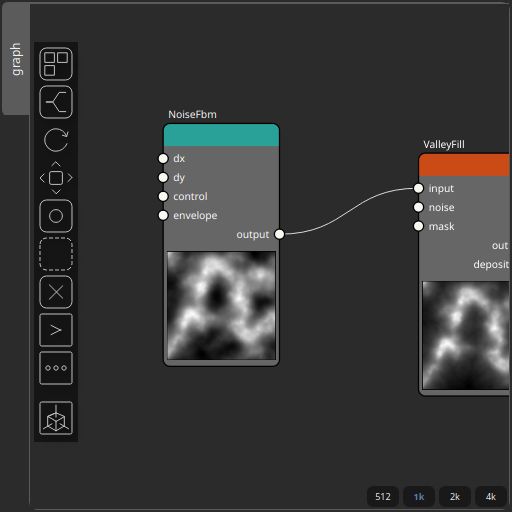
Corresponding Hesiod file: ValleyFill.hsd. Use [Ctrl+I] in the node editor to import a hsd file within your current project.
Note
Example files are kept up-to-date with the latest version of Hesiod. If you find an error, please open an issue.