WaterDepthDryOut Node
Reduces (dries out) the water depth by applying a ratio to the input depth. This can be used to simulate evaporation, infiltration, or partial drying of flooded areas. An optional mask can be provided to control where the drying effect is applied.

Category
Hydrology
Inputs
| Name | Type | Description |
|---|---|---|
| depth | VirtualArray | Input water depth values. |
| mask | VirtualArray | Optional mask defining where the drying effect is applied. Unmasked areas remain unchanged. |
Outputs
| Name | Type | Description |
|---|---|---|
| water_depth | VirtualArray | Output water depth map representing flooded areas. |
Parameters
| Name | Type | Description |
|---|---|---|
| dry_out_ratio | Float | Ratio applied to the input depth to reduce water. A value of 0 removes all water, while 1 keeps the original depth. |
Example
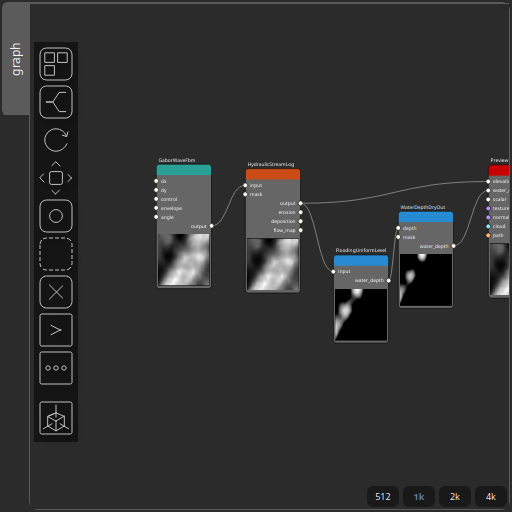
Corresponding Hesiod file: WaterDepthDryOut.hsd. Use [Ctrl+I] in the node editor to import a hsd file within your current project.
Note
Example files are kept up-to-date with the latest version of Hesiod. If you find an error, please open an issue.