SelectSoilRocks Node
Computes a multi-scale soil/rock mask using curvature analysis across progressively larger smoothing radii.
Category
Terrain Features/ForTexturing
Inputs
| Name | Type | Description |
|---|---|---|
| input | VirtualArray | Input heightmap or scalar field used to compute curvature across scales. |
Outputs
| Name | Type | Description |
|---|---|---|
| output | VirtualArray | Computed multi-scale soil/rock selection mask. |
Parameters
| Name | Type | Description |
|---|---|---|
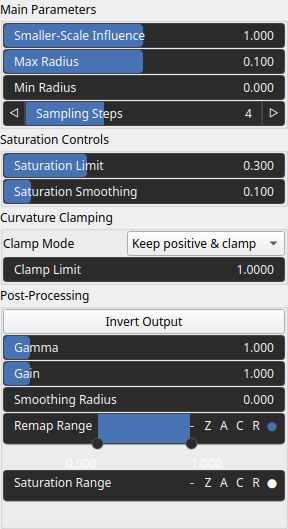
| Clamp Mode | Enumeration | Defines how curvature values are clamped before accumulation across scales. |
| Clamp Limit | Float | Threshold used to clamp curvature values at each scale. |
| Saturation Smoothing | Float | Controls the smoothness of the saturation response applied after curvature aggregation. |
| Gain | Float | Mid-centered gain transformation applied to the elevation values. This is a non-linear recurve operator centered around the mid elevation (typically 0.5). Increasing the gain pushes values toward the minimum and maximum elevations, creating flatter low/high regions with a steeper transition around the midpoint. |
| Gamma | Float | Standard gamma correction applied to the elevation values. This is a monotonic power-law remapping that shifts emphasis toward low or high elevations, making the overall shape sharper or bulkier without changing its ordering. |
| Invert Output | Bool | Inverts the output values after processing, flipping low and high values across the midrange. |
| Remap Range | Value range | Linearly remaps the output values to a specified target range (default is [0, 1]). |
| Saturation Range | Value range | Modifies the amplitude of elevations by first clamping them to a given interval and then scaling them so that the restricted interval matches the original input range. This enhances contrast in elevation variations while maintaining overall structure. |
| Smoothing Radius | Float | Defines the radius for post-processing smoothing, determining the size of the neighborhood used to average local values and reduce high-frequency detail. A radius of 0 disables smoothing. |
| Max Radius | Float | Maximum smoothing radius used when evaluating curvature across logarithmic scales. |
| Min Radius | Float | Minimum smoothing radius. |
| Saturation Limit | Float | Limits the maximum saturation effect applied during the output shaping stage. |
| Smaller-Scale Influence | Float | Weight applied when descending to smaller smoothing radii, allowing fine-scale features to contribute more or less strongly. |
| Sampling Steps | Integer | Number of logarithmic scales evaluated between rmin and rmax. |
Example
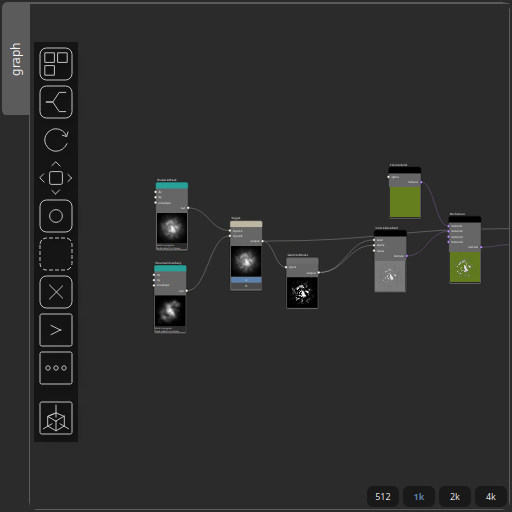
Corresponding Hesiod file: SelectSoilRocks.hsd. Use [Ctrl+I] in the node editor to import a hsd file within your current project.
Note
Example files are kept up-to-date with the latest version of Hesiod. If you find an error, please open an issue.